AI Social Media Marketing for Small Business: 2026 Guide
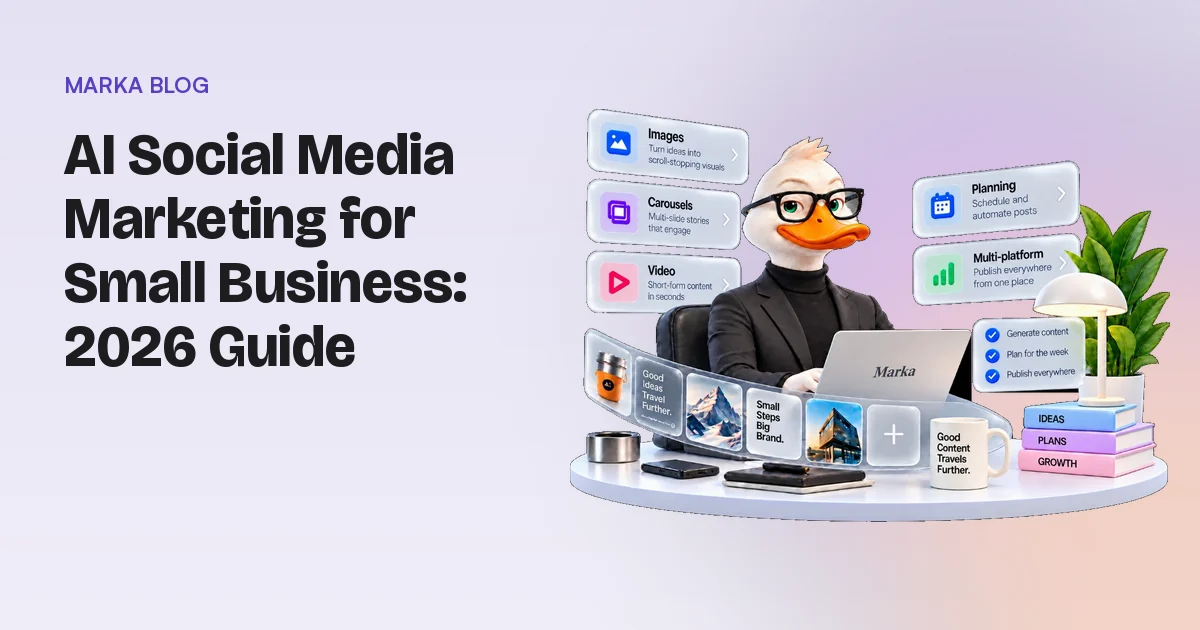
AI can now write captions, design images, cut short videos and plan a month of posts in minutes. For a small business, that changes the hard part of social media. The hard part used to be making enough content. Now it is making content that sounds like you, shows your real products and goes out on a steady schedule.
This guide covers what AI does well for small business social media, where it still fails, and a simple weekly workflow you can run in under an hour once it is set up. Each section links to a deeper guide.
Key Takeaways
- Most small businesses are still early: the U.S. Census Bureau found that fewer than 20% of firms with four or fewer employees used AI as of May 2026.
- Start AI from your own material (your website, products and reviews), not from a blank prompt. Generic input gives generic posts.
- Write down your brand voice and visual rules once, then check every AI draft against them before it goes out.
- Posting 3 to 5 times a week is a sustainable target for most small accounts; Buffer's data links it to faster growth than 1 to 2 posts.
- Keep a human approval step. AI can change product details, and the FTC's rule banning fake reviews and testimonials, including AI-generated ones, took effect in October 2024.
In this guide:
- What can AI actually do for small business social media?
- Which platforms should a small business focus on?
- Start from what you already have: your website
- How do you keep AI content on brand?
- Which formats work, and how often should you post?
- A weekly AI social media workflow
- What kinds of AI social media tools are there?
- What rules apply to AI-made social posts?
- What does AI social media marketing cost?
- Frequently Asked Questions
- Where to start
What can AI actually do for small business social media?
AI is good at the repetitive parts of social media: turning a page of text into a caption, resizing one idea for five platforms, suggesting post ideas, drafting a carousel and filling a calendar. It is weaker at knowing what is true about your business, what your customers care about this week and what your brand would never say.
Adoption is still early, which is an opportunity. The U.S. Census Bureau's Business Trends and Outlook Survey found that 17% to 20% of U.S. firms used AI in some business function between December 2025 and May 2026, and that fewer than 20% of firms with four or fewer employees did (U.S. Census Bureau, May 2026). Use among firms with fewer than 20 employees did not change significantly over those six months. Based on those figures, a very small business that sets up a good AI workflow now is likely ahead of most firms its size.
| Task | AI does it well | Still needs you |
|---|---|---|
| Captions and hooks | Fast drafts in many styles | Choosing what is true and on brand |
| Images and graphics | On-brand layouts, product shots, variations | Checking that products look right |
| Carousels | Turning one idea into a slide sequence | The idea and the order of the story |
| Short videos | Scripts, cuts, captions, b-roll | Your face, voice or real footage where it matters |
| Planning | Calendars, posting slots, reminders | Deciding what the business needs this month |
| Replies and community | Drafting answers | Tone, judgement and anything sensitive |
The pattern is simple: let AI draft and assemble, and keep the decisions about truth, tone and timing for yourself.
Which platforms should a small business focus on?
Focus on the one or two platforms your customers already use every day, then add others once posting there is a habit. Posting well on two platforms is more useful than posting now and then on six.
Pew Research Center's 2025 survey of 5,022 U.S. adults shows where the audience is (Pew Research Center, November 2025):
| Platform | U.S. adults who use it (2025) |
|---|---|
| YouTube | 84% |
| 71% | |
| 50% | |
| TikTok | 37% |
| 32% |
Age changes the picture. Pew found that 80% of adults aged 18 to 29 use Instagram, compared with 19% of adults 65 and older, while Facebook is used by a majority of every age group. A café near a university and an accountant serving retirees should not have the same plan.
A practical default for most local and online businesses is Instagram plus one of Facebook, TikTok or LinkedIn, chosen by who buys from you.
Start from what you already have: your website
The best raw material for AI is the content you have already written. Your website holds your products, prices, services, answers to common questions, reviews and the words you chose to describe your business. AI tools that start from your site produce posts that are specific, because the facts come from you.
Three sources on your site turn into posts most easily:
- Product and service pages. Each one can become a feature post, a "how it works" carousel and a short video.
- FAQ and support answers. Every question a customer asked once is a post that answers the next customer.
- Reviews and case studies. Real customer words make the strongest social proof, as long as you use them with permission.
Our step-by-step guide to turning your website into social media posts shows how to map each page to a format. If you publish articles, the same idea applies: see how to repurpose blog posts for social media.
When you run out of material, borrow structure, not words. Our list of social media post ideas for small businesses gives 30 formats that work in any industry.
How do you keep AI content on brand?
You keep AI content on brand by giving it rules before it writes, then checking its drafts against the same rules. Many "AI-sounding" posts come from tools that were never told who the business is.
Write down four things once:
- Voice: how you sound, with three words you are and three words you are not. Nielsen Norman Group's research describes tone on four scales: formal or casual, serious or funny, respectful or irreverent, and matter-of-fact or enthusiastic (Nielsen Norman Group).
- Visuals: your colours, fonts, logo use and the kind of photos you post.
- Facts: products, prices, opening hours, what you do and do not offer.
- Never list: claims you cannot make, words you avoid, competitors you do not mention.
Our brand voice guide template gives you a fill-in version with examples. For the visual side and a weekly check, read brand consistency on social media.
Some AI tools build this profile for you by reading your website, then let you edit it. Google calls its version "Business DNA" in its Pomelli experiment (Google, October 2025), and other tools use similar names. Whatever the tool, read the profile it builds and fix anything wrong before you create a single post. Every later post inherits its mistakes.
Which formats work, and how often should you post?
Use a mix of three formats: single images for announcements and offers, carousels for anything that teaches or compares, and short videos for reach. Then pick a pace you can keep for months, not weeks.
Buffer analysed 2.1 million Instagram posts from 102,000 accounts and found that posting 3 to 5 times a week more than doubled follower growth rate compared with 1 to 2 posts, and lifted reach per post by about 12% (Buffer, 2025). Buffer compared each account with its own baseline, but the result is still a correlation, not proof that frequency alone causes growth. Our guide on how often a small business should post on social media breaks this down by platform.
Two platform changes affect how you design posts:
- Instagram carousels have been able to hold up to 20 photos or videos since August 2024 (MacRumors, August 2024).
- Instagram's profile grid has shown posts as vertical rectangles instead of squares since January 2025, so square designs get cropped on your profile (Engadget, January 2025).
For carousel structures that work for small brands, see our Instagram carousel ideas.
A weekly AI social media workflow
This workflow assumes one person, one or two platforms and 3 to 5 posts a week. Setup takes an afternoon. After that, the weekly loop is short.
Once, at setup:
- Write your brand voice, visual rules, facts and never list (see the section above).
- Connect or upload your source material: website, product photos, reviews you have permission to use.
- Choose your platforms and a posting rhythm, for example Monday, Wednesday and Friday.
Every week:
- Plan (10 minutes). List what the business needs this week: a launch, a slow day to fill, a question customers keep asking.
- Generate (10 minutes). Ask your AI tool for drafts tied to that plan, in the formats you chose.
- Check (15 minutes). Read every caption aloud. Compare product images with the real product. Delete anything you cannot stand behind.
- Approve and schedule (5 minutes). Approve the final versions and put them on the calendar.
- Learn (10 minutes). Look at last week's posts. Note which topics got saves, shares and messages, and ask for more of those.
The times are targets, not measurements. The point is that the human steps (plan, check, learn) stay in the loop, and the slow step (making the content) moves to the tool.
What kinds of AI social media tools are there?
There are four kinds, and they differ in how much of the work they take over.
| Type | What it does | Good for | Watch for |
|---|---|---|---|
| AI writer inside a scheduler | Drafts captions in the tool you use to post | Teams that already have images | You still make every visual |
| Design tool with AI | Generates and edits graphics and videos | Owners who like to design | Brand rules depend on you |
| AI post generator | Creates finished posts from a prompt or a URL | Fast, on-brand drafts | Quality depends on its brand profile |
| AI marketing agent | Plans, creates, asks for approval and schedules | Owners with little time | How approval and control work |
If you are not sure what separates an agent from a generator, read what an AI marketing agent is. Our buyer's checklist on choosing an AI social media post generator lists the questions to ask before you pay.
Two comparisons cover common choices. Marka vs Holo compares two paid tools that both learn your brand from your website. Pomelli alternatives looks at Google's free experiment and when a paid tool is worth it.
What rules apply to AI-made social posts?
Three rules matter most for small businesses: label AI where platforms ask, never fake customer voices, and check facts before you post.
Platform labels. Meta adds an "AI info" label to images it detects as made or edited with AI, using metadata standards such as C2PA and IPTC (TechCrunch, July 2024). Since September 2024 the label stays prominent on fully AI-generated content and moves to the post menu for AI-edited photos (TechCrunch, September 2024). A label does not make an honest post dishonest; passing off an AI image as a real event does.
No fake reviews or testimonials. The U.S. Federal Trade Commission's rule on consumer reviews and testimonials took effect on 21 October 2024. It bans reviews and testimonials by people who do not exist or never used the product, and the Commission states that AI-generated reviews are covered (Federal Register, August 2024). Use real reviews, with permission, and never ask AI to invent a customer quote.
Check product details. Google's own help page for Pomelli warns that AI can change fine details of products such as colours, logos or textures, and recommends reviewing every image before publishing (Google Labs Help). The same applies to every image model.
For posts you also publish on your website, Google's position is that it rewards helpful content however it is produced, and that using automation mainly to manipulate rankings breaks its spam policies (Google Search Central, February 2023).
What does AI social media marketing cost?
For the tools we checked, prices run from free to under $200 a month, and the price usually tracks how much of the work the tool does for you.
| Option | Example | Price checked 1 November 2026 |
|---|---|---|
| Free experiment | Google Pomelli | No charge, with usage caps, in supported countries (Google Labs Help) |
| Paid AI marketing agent | Holo Starter and Scale | $20.33 and $48.33 a month list prices, shown at $8.13 and $19.33 with a discount when we checked; 125 and 325 creations (Holo) |
| Paid AI marketing agent | Marka (our product), Lite to Premium | $8 to $179 a month, 210 to 5,300 credits (Marka) |
Prices change often, and several tools run promotions, so check each site before you decide. Compare what is included, not just the monthly number: how many posts or credits you get, whether video is included and whether the tool can schedule.
Frequently Asked Questions
Can AI fully run social media for a small business?
AI can draft, design, schedule and suggest most of your content, but it should not run unsupervised. It does not know which product is out of stock, which customer complained yesterday or what your brand would never say. Keep a short approval step for every post.
Will AI-made posts hurt my reach?
We found no platform statement saying that AI-assisted posts get less reach as such. Reach depends on whether people stop, read and engage. Generic posts perform badly whether a person or a tool made them, which is why starting from your own material matters.
Do I have to label AI content on social media?
On Meta's platforms, images detected as made or edited with AI can get an "AI info" label automatically. Rules differ by platform and country and change often, so check each platform's current policy before you post realistic AI images or video.
How much time does AI save on social media?
It depends on your starting point. The biggest saving is in making images, carousels and videos, which take the most time by hand. Planning, checking and learning still need you, and they are worth the time.
What is the best first step?
Write your brand voice and facts on one page, then test one tool on one platform for two weeks. Measure saves, shares and messages, not just likes.
Where to start
Pick one platform where your customers already are. Write one page that describes your voice, visuals and facts. Then let AI handle the drafting while you keep the plan, the check and the final yes.
If you want to try that workflow end to end, our product, Marka, reads your website, builds an editable Brand DNA and sends you posts, carousels and short videos to approve on WhatsApp. You can see the plans or start with a three-day Lite trial (card required, $0 today).
About this guide: written by Shalev Amin, co-founder of Marka, with AI assistance, and checked against the linked sources. Our editorial rules: every fact links to the source we checked it against, checks are dated, pages are updated when products, prices or data change, and we say so whenever we compare our own product, Marka, with other tools. Last checked on 1 November 2026. Spotted an error? Contact us and we will correct it. More about Marka.